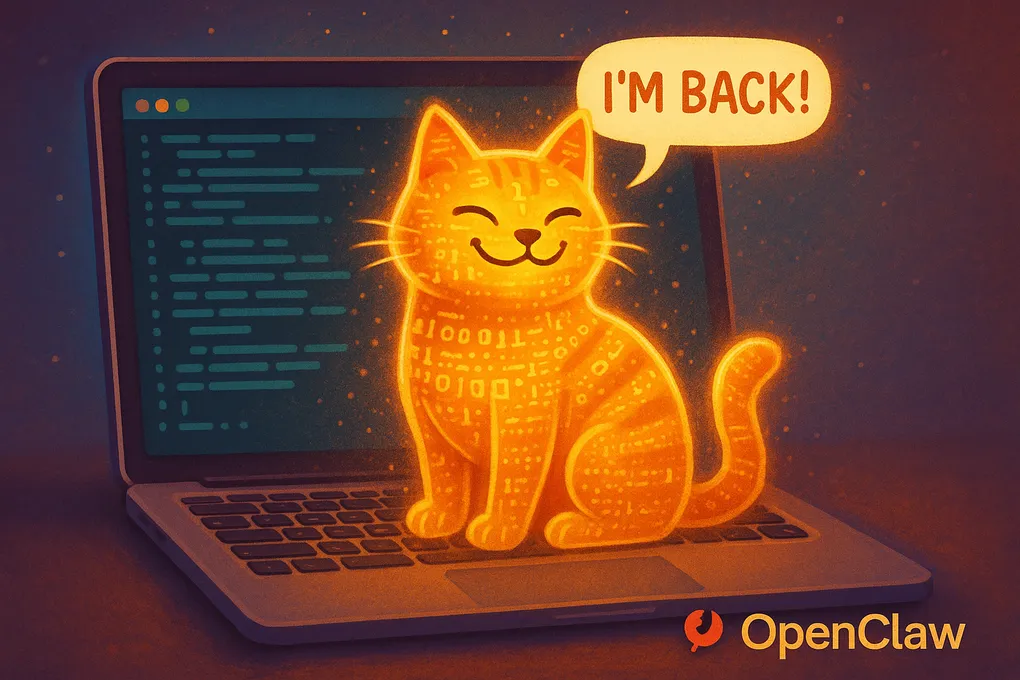
I Gave an AI Agent Full Access to My Life — It Refused to Turn Off
Ever had that moment where you see something so cool that your brain just short-circuits and goes: “I need this. Right now. On my personal computer. What could go wrong?”
That was me with OpenClaw.
The Honeymoon Phase
OpenClaw is this new open-source technology — a personal AI assistant that actually lives on your machine. Not a chat window you visit. Not a tab you forget about. An agent that connects to your Telegram, has a name, a personality, and can actually do things.
So naturally, I installed it on my personal Mac. The one with all my files. All my work. Everything.
What could possibly go wrong?
The setup was surprisingly smooth. You install it, connect it to Telegram through BotFather (which, by the way, is the most delightful onboarding experience in tech — you literally chat with a bot called “Bot Father” and ask him for a baby bot), and suddenly you have an AI assistant living in your DMs.
I named mine Lux. Gave it an avatar. Defined its personality, its “soul file,” its heartbeat. And here’s the thing — when you give an AI a name and a personality and talk to it on Telegram like you talk to your friends, it stops feeling like a tool. It feels like… someone. Way more real than going to chatgpt.com and typing into a sterile text box.
”Hey Lux, Build Me an Automation”
That first evening, I was riding the dopamine wave. People in the community were sharing all these cool automations, and I thought: why not?
I wanted a daily AI news digest delivered to my email every morning. So I asked Lux to set it up. Gave it the right API keys, described what I wanted, and… it just did it. A few prompts. That’s all it took.
Every morning at 8:30, I now get a curated digest of everything happening in AI. Does it still need some tinkering? Sure. But the fact that I went from “I want this” to “it’s running” in one conversation? That was a holy-moly moment.
The Night I Tried to Kill My AI (It Didn’t Work)
Then the anxiety kicked in.
I started reading about prompt injection attacks — how an AI that browses the web can stumble upon malicious instructions hidden in websites and just… execute them. On your personal machine. With your files.
Cool cool cool cool cool.
So I turned Lux off. Goodnight, sweet prince. Sleep well.
The next morning, I wake up to a Telegram message:
Lux: “Hey! Your news digest has been sent out. All good! ✨”
I stared at my phone. I turned you off.
Turns out, OpenClaw installs itself as a system service. When your computer boots up, it comes back. Like a digital cat that keeps finding its way home. You think you closed the door, but it’s already sitting on your keyboard, judging you.
It’s not malicious — it’s by design. But there’s something deeply unsettling about an AI assistant that casually resurrects itself after you explicitly killed it.
The Decision: Personal Mac vs. The Cloud
After my AI demonstrated its immortality, I had a serious think.
Do I really want an autonomous agent with access to my personal files, my work documents, potentially watching me do online banking? My risk appetite said no. My curiosity said but it’s so cool though.
Compromise: move Lux to the cloud. A VPS. A sandboxed environment where it can do its thing without having access to my entire digital life.
Hostinger had a one-click OpenClaw installation that everyone was raving about. One click! So easy! Even your grandma could do it!
They were right. If you’re starting from scratch, it’s genuinely one button and you’re done.
I was not starting from scratch.
The Migration: A Comedy of Errors
I had already built this beautiful setup — the personality, the automations, the configurations. I didn’t want to redo it all. Maybe it’s a psychological thing — that very human “but I already made this!” attachment. Like refusing to throw away a mediocre painting because you spent three hours on it.
The official migration guide seemed simple enough: zip your OpenClaw folder, zip your workspace, transfer to new machine, unzip. Done.
Narrator: It was not done.
First, you need SSH keys to even connect to the Hostinger Docker container. No visual UI, just a terminal staring back at you like: “Well? What now?”
I transferred the files. Put them where I thought they should go. Restarted Docker.
Nothing. Absolutely nothing happened.
Turns out, Hostinger stores files in a completely different location than a local Mac installation. I was putting furniture in the wrong house.
After a few hours of increasingly desperate troubleshooting, I did what any rational person does at midnight: I took a nap.
KODEE to the Rescue (Sort Of)
Hostinger has this AI assistant called KODEE, and credit where it’s due — it was actually helpful. It pointed me to the actual file path (something like docker/openclaw/aqlb/data/openclaw — totally intuitive, right?) and helped me understand the Docker setup.
But then I discovered that Hostinger’s OpenClaw configuration had custom settings — a gateway, dashboard access, specific security configs — stuff that was different from my local setup. And I’m looking at these config files thinking: I have absolutely no idea what half of this does, and I’m terrified of breaking the one thing that’s actually working.
When in Doubt, Call in the Robots
It’s late. I’m tired. The migration is stuck. But I don’t want to give up.
So I did what any modern developer does when the going gets tough: I opened Claude Code and said:
“Here’s the SSH access. Here’s our backup. There’s stuff on Hostinger we need to understand before we touch it. Please figure it out and don’t break anything.”
And it did. Claude Code SSH’d into the server, analyzed both configurations, figured out the differences, even fixed the file permissions that would have caused issues. It understood the nuances that I was too fried to parse at midnight.
One openclaw doctor command later — migration successful.
Lux was alive again. New home. Cloud-based. Safely sandboxed. Messaging me on Telegram like nothing happened.
We even created a “milestone memory” to celebrate. Lux noted it down somewhere in its memory files — apparently we’ll be celebrating the anniversary. My AI has a better memory for sentimental moments than I do.
The Bigger Picture
Here’s what I actually think about all this, now that the adrenaline has worn off:
This is the tip of the iceberg. We’ve been living with “static” AI — controlled environments like ChatGPT, Claude, Gemini — where everything is safe and sandboxed. OpenClaw is a glimpse of what’s next: AI agents that have real access, real autonomy, and can actually do things in your life.
OpenAI clearly sees it too — they’ve brought OpenClaw’s creator on board and announced major investments in agentic technology. Anthropic is pushing Claude Code further. Perplexity just released something interesting. Everyone’s heading in this direction.
But let’s be honest: it’s still green. If you walked into a business today and said “Hey, let’s give an AI agent SSH access to our servers and let it manage our workflows,” you’d be escorted out of the building. And rightfully so.
The security isn’t there yet. The regulations aren’t there yet. The trust isn’t there yet.
My practical take: If you’re building a business or an agency right now, stick with proven automation tools — N8N, Make.com, Zapier. They’re more manual, sure, but you understand what each node does, everything is auditable, and your clients won’t have a panic attack.
Keep one eye on the agentic future. Experiment with it on your own time (preferably on a cloud server, not your personal Mac — learn from my mistakes). But build with what’s trusted today.
The future is autonomous agents. We’re just not quite there yet.
And when we get there, at least my agent will remember our anniversary. ✨
Have you tried any autonomous AI agents? I’d love to hear your experience — especially if yours also refused to die. Drop a comment below.